
Secure Your Nextcloud Infrastructure

SSL Certificate for Nextcloud Server

Secure your Nextcloud web interface, file sharing, and supported client connections with trusted Domain Validated SSL/TLS certificates. Choose Single Domain, Multi-Domain, or Wildcard SSL with professional installation, reissue, and redeployment support.
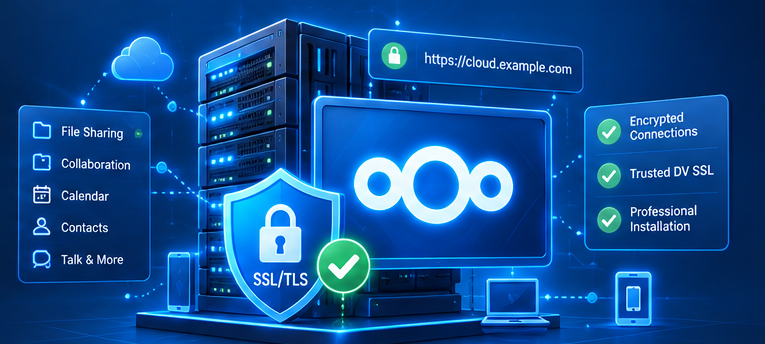
Nextcloud server SSL TLS security infrastructure for HTTPS file sharing, collaboration and client access
Domain Validation
(DV)
Free Installation
& Deployment
Free Reissue
& Redeployment
Remote Technical
Support

Trusted DV Certificates

Publicly trusted certificates for supported Nextcloud HTTPS endpoints.

Professional Installation

Remote installation and configuration on your agreed infrastructure.

Free Reissue & Redeployment

Required certificate maintenance included during the subscription.

Technical Support

Remote help with certificate installation and TLS configuration.

Simple & Transparent Pricing

SSL Certificate Packages for Nextcloud

Choose the right Domain Validated (DV) certificate for your Nextcloud infrastructure. All packages include installation, reissue, and redeployment during your subscription.

Single Domain (DV)

1 DOMAIN

For one selected hostname, such as cloud.example.com. Ideal for a Nextcloud instance using one primary public hostname.

1 Year Rp700.000
2 Years Rp1.250.000
ORDER SINGLE DOMAIN →
  • Domain Validation (DV)
  • One Covered Hostname
  • Trusted SSL Certificate
  • HTTPS / TLS Protection
  • Free Installation, Reissue & Redeployment
  • Remote Technical Support

Select 1 or 2 years in the order form.

Wildcard (DV)

WILDCARD

For matching first-level subdomains of one parent domain, such as *.example.com. Suitable for multiple Nextcloud-related hostnames.

1 Year Rp2.850.000
2 Years Rp5.300.000
ORDER WILDCARD →
  • Domain Validation (DV)
  • Wildcard Hostname Coverage
  • First-Level Subdomains
  • Trusted SSL Certificate
  • HTTPS / TLS Protection
  • Free Installation, Reissue & Redeployment
  • Remote Technical Support

The root domain needs separate SAN coverage if required.

All packages include professional remote installation, required certificate reissue, and redeployment during the active subscription. The 1-year and 2-year options are commercial subscription periods, not the validity of a single issued certificate. Publicly trusted TLS certificates have shorter validity periods and need reissue. Coverage and deployment depend on CA requirements, successful domain validation, and agreed server access. Wildcard names do not automatically cover the root domain or deeper subdomain levels.
Choose the Right Coverage

Which SSL Certificate Does Your Nextcloud Need?

Select based on your Nextcloud public hostname, reverse proxy, and any additional domains used by clients.

01

Single Domain SSL

Recommended when all Nextcloud users access the same primary hostname.

Example cloud.example.com
02

Multi-Domain SSL

For a deployment where several different public names need one SAN certificate.

Example cloud.example.com
files.example.net
office.example.org
03

Wildcard SSL

Appropriate for matching first-level subdomains under a single parent domain.

Example *.example.com
cloud.example.com
files.example.com

How It Works

A practical process to install and verify SSL for your Nextcloud server.

01

Choose a Package

Choose Single, Multi-Domain, or Wildcard DV and subscription period.

02

Domain Validation

Verify domain control using the Certificate Authority's supported method.

03

SSL Installation

Deploy the certificate and chain on the Nextcloud HTTPS endpoint.

04

Activation & Testing

Verify hostname coverage, trust, chain, and relevant TLS connections.

Frequently Asked Questions

Common questions about SSL certificates for Nextcloud Server.

Why does Nextcloud need an SSL certificate?
A properly configured SSL/TLS certificate enables trusted HTTPS access and helps protect data in transit between browsers, clients, and the Nextcloud HTTPS endpoint. It does not by itself encrypt files at rest.
Which DV SSL certificate types are available?
Single Domain for one hostname, Multi-Domain for up to three named hostnames (SAN), and Wildcard for matching first-level subdomains under one parent domain.
Can I use SSL behind a reverse proxy?
Yes. The certificate can be deployed at an HTTPS reverse proxy or web server according to your architecture. The origin-to-proxy connection should be reviewed separately and secured as appropriate.
Does a 2-year subscription mean one certificate lasts 2 years?
No. The subscription lasts two years, but individual publicly trusted certificates have shorter validity periods and must be reissued or replaced as required.
Are installation, reissue, and redeployment included?
Yes, remote installation and required certificate reissue/redeployment are included during the active subscription, subject to CA policies, successful domain validation, and agreed server access.
Does SSL secure Nextcloud Talk and file sharing?
HTTPS can protect web and API connections used by Nextcloud features, including file sharing and supported Talk interfaces. Talk media transport and end-to-end encryption depend on separate configurations and are not guaranteed by an HTTPS certificate alone.
Does Wildcard SSL include the root domain?
Not automatically. For example, *.example.com normally covers first-level subdomains, but example.com needs its own SAN entry if required; deeper names such as a.b.example.com also need separate coverage.
How do I order SSL for Nextcloud?
Open our SSL quotation form, select a package and subscription period, and specify "Nextcloud Server" plus the relevant hostnames and deployment details in the application or message fields.

Secure Your Nextcloud Server Today

Protect Nextcloud web access, file sharing, and supported client connections with trusted DV SSL. Professional remote installation, reissue, redeployment, and technical support are included during your subscription.

×

Hello!

Klik salah satu dibawah untuk chat WhatsApp atau kirim email kepada kami ke info@saad.web.id

× WhatsApp Kami
Privacy Overview

This website uses cookies so that we can provide you with the best user experience possible. Cookie information is stored in your browser and performs functions such as recognising you when you return to our website and helping our team to understand which sections of the website you find most interesting and useful.