
Secure Your Business Email Infrastructure

SSL Certificate for Microsoft Exchange Server

Secure Microsoft Exchange webmail, Autodiscover, and supported email services with a trusted Multi-Domain (SAN) SSL/TLS certificate. Professional remote installation, certificate reissue, and redeployment are included during your subscription.
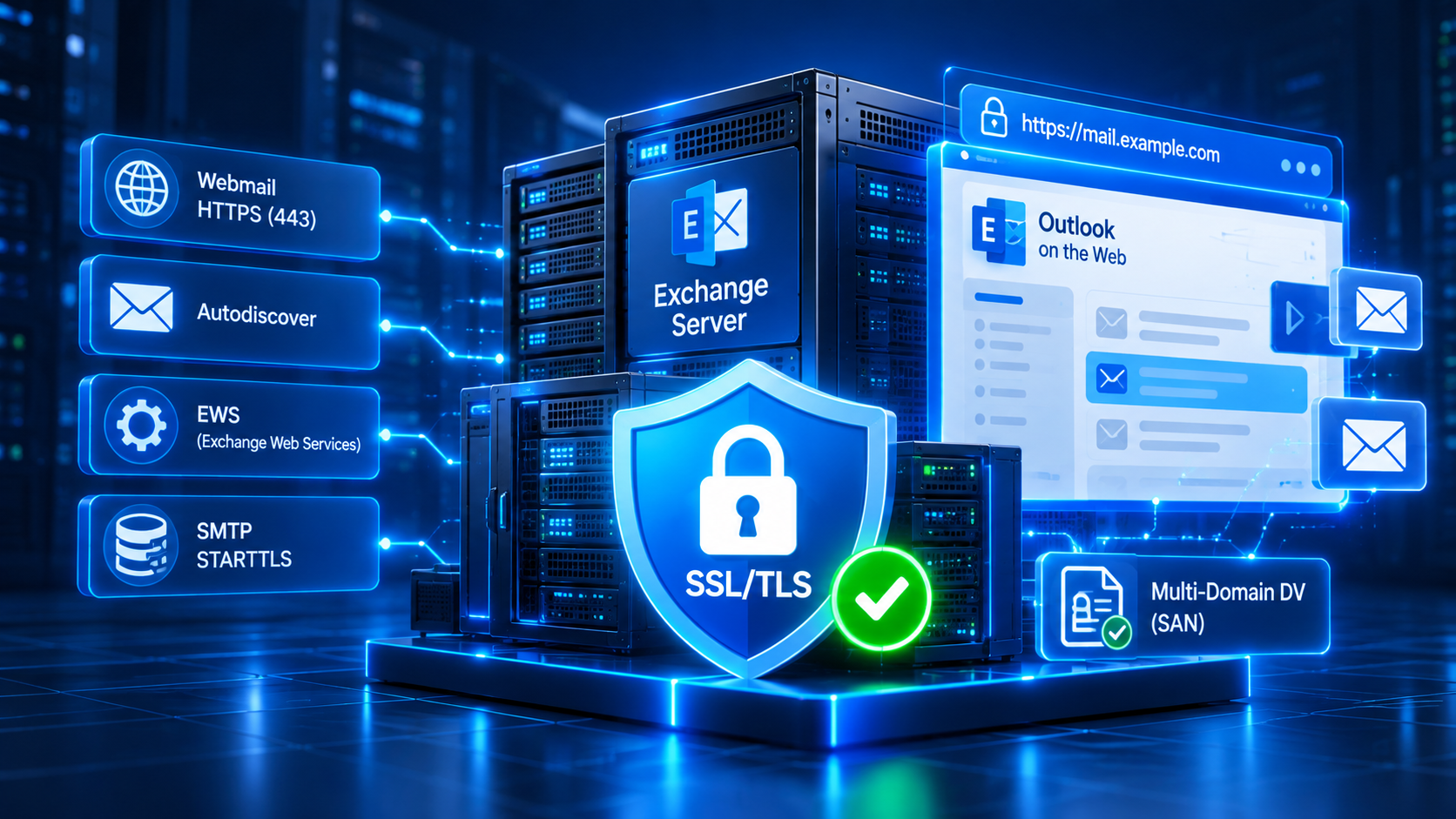
Microsoft Exchange Server infrastructure protected by Multi-Domain SSL TLS, including Outlook on the Web, Autodiscover and Exchange Web Services
Multi-Domain
DV SSL (SAN)
Free Installation
& Deployment
Free Reissue
& Redeployment
Remote Technical
Support

Trusted SSL Certificate

Publicly trusted Domain Validated certificates for Exchange endpoints.

Multi-Domain SAN Coverage

Protect up to three selected hostnames with one certificate.

Free Reissue & Redeployment

Required certificate maintenance during your active subscription.

Professional Support

Remote technical assistance for Microsoft Exchange SSL/TLS deployment.

Simple & Transparent Pricing

SSL Certificate Packages for Microsoft Exchange

SaadWebId offers Multi-Domain DV SSL for Microsoft Exchange Server, with two subscription options. Both include professional installation, reissue, and redeployment support.

Multi-Domain SSL (DV)

One certificate with up to 3 SAN names

3 DOMAINS

Designed for Microsoft Exchange deployments requiring multiple hostnames, such as mail.example.com and autodiscover.example.com. Certificate coverage depends on the hostnames configured in your environment.

1 Year Subscription Rp1.240.000 Installation included ORDER 1 YEAR →
2 Years Subscription Rp2.350.000 Installation included ORDER 2 YEARS →
  • Domain Validation (DV)
  • Up to 3 Covered Hostnames
  • Subject Alternative Names (SAN)
  • Publicly Trusted SSL Certificate
  • HTTPS / TLS Protection
  • Exchange IIS Deployment Support
  • Free Initial Installation
  • Free Certificate Reissue
  • Free Redeployment
  • Remote Technical Support
Included during your subscription: certificate installation, required reissue, redeployment, and remote support. The 1-year and 2-year plans are subscription periods, not the validity of one issued certificate. Publicly trusted TLS certificates require periodic replacement. Certificate installation and service binding depend on Microsoft Exchange configuration, Certificate Authority requirements, successful Domain Validation, and agreed access.
Plan Your SSL Hostnames

SSL/TLS Coverage for Microsoft Exchange

Your Exchange certificate should include the public hostnames used by Outlook, Autodiscover, and other configured services. Here are common deployment considerations.

01

Outlook on the Web

Cover the public hostname used to access Outlook on the Web and applicable Exchange HTTPS services.

Example mail.example.com
02

Autodiscover

Include the hostname required by your Autodiscover configuration so supported Outlook clients can establish trusted connections.

Example autodiscover.example.com
03

Additional SAN Hostnames

A third SAN name can be used for another hostname if required by your actual Exchange architecture. Avoid including internal-only names.

Example exchange.example.net
Exchange Certificate Planning Not every Exchange deployment needs three different hostnames. Certificate names should match the actual client-facing URLs and transport endpoints. IIS and SMTP certificate assignments are managed separately as applicable to the Exchange environment. Publicly trusted certificates generally cannot cover internal-only hostnames that are not valid public DNS names.

How It Works

A straightforward process to issue, install, and verify SSL/TLS for Microsoft Exchange Server.

01

Choose a Package

Select Multi-Domain DV SSL and your subscription period.

02

Domain Validation

Verify control over the requested public domains.

03

SSL Installation

Deploy and assign the certificate to agreed Exchange services.

04

Activation & Testing

Verify certificate trust, SAN coverage, and TLS endpoints.

Remote Installation Included. Deployment scope is reviewed for the customer's Exchange configuration. Certificate reissue and redeployment remain included during the active subscription, subject to agreed access and applicable certificate requirements.

Frequently Asked Questions

Common questions about Multi-Domain DV SSL, Exchange installation, and certificate maintenance.

Why does Microsoft Exchange need an SSL certificate?
A trusted SSL/TLS certificate allows clients to authenticate configured Exchange endpoints and establish encrypted connections when TLS is correctly enabled and validated.
What type of SSL certificate is offered for Exchange?
SaadWebId offers Multi-Domain Domain Validated (DV) SSL with up to three selected public hostnames using Subject Alternative Names (SAN).
Can one certificate cover webmail and Autodiscover?
Yes. A Multi-Domain certificate can include names such as mail.example.com and autodiscover.example.com, provided those names are included in the certificate and successfully validated.
Is SSL installation included in the price?
Yes. Professional remote installation is included for the agreed Exchange environment. The technical scope is confirmed before deployment.
Can this certificate be used for SMTP STARTTLS?
Yes, where supported and configured correctly. Exchange SMTP connectors require appropriate certificate selection and configuration. Installing a certificate for HTTPS does not automatically configure SMTP TLS.
Does the 2-year plan provide one 2-year certificate?
No. Two years refers to the subscription period. Individual publicly trusted certificates have shorter validity periods and require reissue or replacement during the subscription.
Are certificate reissue and redeployment free?
Yes. Required reissue and redeployment are included during the active subscription, subject to CA requirements, successful domain validation, and agreed technical access.
Can SSL be deployed to multiple Exchange servers?
Yes, subject to the certificate's licensing terms and your Exchange topology. Multi-server deployments may require the same certificate and private key on multiple nodes, with suitable protection and service assignments.
Is this the same as SSL for Microsoft 365?
No. This service is designed for customer-managed Microsoft Exchange Server environments. Microsoft 365 hosted Exchange services use Microsoft-managed endpoints and different certificate responsibilities.
How do I order Microsoft Exchange SSL?
Complete the Microsoft Exchange SSL quotation form, select the 1-year or 2-year option, and provide the public hostnames plus basic information about your Exchange infrastructure.

Secure Your Microsoft Exchange Server Today

Protect Exchange webmail, Autodiscover, and supported email service connections with a trusted Multi-Domain DV SSL certificate. Get professional remote installation, free reissue, redeployment, and technical support during your subscription.

×

Hello!

Klik salah satu dibawah untuk chat WhatsApp atau kirim email kepada kami ke info@saad.web.id

× WhatsApp Kami